Introduction
In one of my previous blog posts, Secure Home Network Access with Twingate, I explained how I replaced my Pi-Hole, PiVPN, and Inadyn setup with AdGuard Home (ad blocking/DNS) and Twingate (zero-trust network access).
While that setup worked, I had to use a workaround: manually adding DNS aliases to each Twingate resource. After some troubleshooting, I found a cleaner solution.
The Problem
My original setup had a single Twingate Connector installed on Home Assistant — the same host running AdGuard Home as my DNS server.
To resolve hostnames like homeassistant.homelab.internal, I had to manually configure aliases on each resource in the Twingate Admin Console:
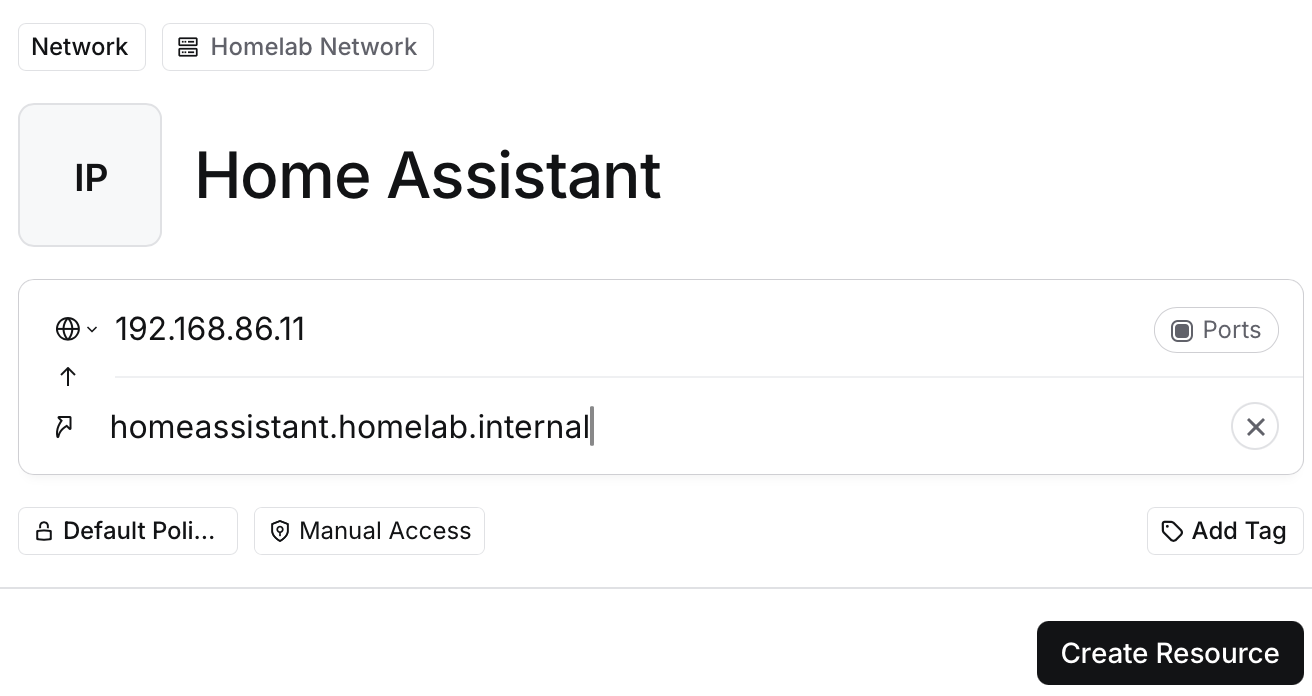
This worked, but it meant maintaining DNS mappings in two places: AdGuard Home and Twingate. Not ideal.
The Root Cause (My Theory)
I haven’t confirmed this definitively, but my best guess is that the Twingate Connector has trouble using a DNS server running on the same host.
When the connector needs to resolve a hostname, it queries the configured DNS server. If that server is on the same machine, there may be a circular dependency or network namespace issue preventing the connector from reaching AdGuard Home properly. Whatever the exact cause, moving the connectors to separate hosts solved the problem.
The Solution
I moved the Twingate Connectors off Home Assistant and onto my Proxmox nodes instead:
- Removed the Twingate Connector add-on from Home Assistant
- Installed Twingate Connectors on two of my three Proxmox nodes (for redundancy)
Since the Proxmox hosts are separate machines from the DNS server, the connectors can query AdGuard Home without any circular dependency issues.
Installing Twingate on Proxmox
You can install the Twingate Connector on Proxmox using the community script provided when selecting “Proxmox” as the deployment method in the Twingate Admin Console.
The Result
With the connectors running on separate hosts, DNS resolution works as expected. I no longer need to configure aliases for each resource — the connectors properly resolve hostnames through AdGuard Home.
Before: Connector on Home Assistant → Cannot resolve DNS → Must use aliases After: Connectors on Proxmox → DNS resolves via AdGuard Home → No aliases needed
Conclusion
If you’re running both the Twingate Connector and your DNS server (AdGuard Home, Pi-hole, etc.) on the same host and experiencing DNS issues, try moving the connector to a separate machine. It solved my problem, though I can’t say for certain why.
Running connectors on multiple Proxmox nodes also provides redundancy — if one node goes down, the other connector keeps your resources accessible.